



Facebook Asking for Video Selfie: Causes, How to Handle It & How to Prevent Account Death
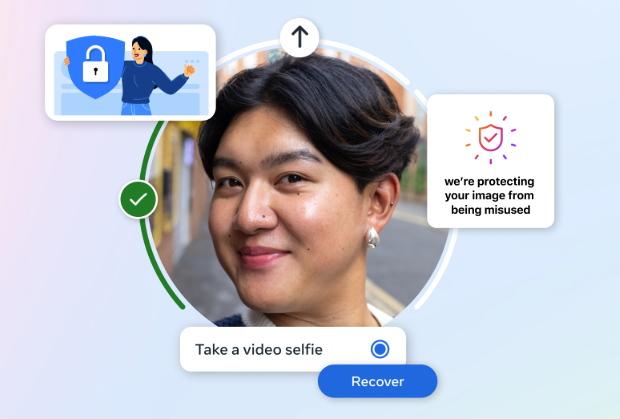
Facebook Asking for Video Selfie: Causes, How to Handle It & How to Prevent Account Death
Recently, many Facebook users have reported that their accounts get checkpointed and Facebook asks for a video selfie. This is a sign that Facebook is scanning accounts more strictly, especially those with unusual activity. Below is a detailed guide to help you understand the causes, how to handle it, and how to minimize risks.
1. Why does Facebook ask for a video selfie?
Facebook uses AI to detect unusual behavior, especially for accounts that:
Common causes
-
Logging in from unfamiliar IP addresses or changing IPs frequently
-
Using unstable proxies, VPNs, or virtual browsers
-
Creating multiple accounts, fanpages, or Business Managers (BM) in a short time
-
Running ads, adding payment cards, or adding BM too quickly
-
Cloned accounts, fake information, or unclear profile pictures
-
Logging in from new devices + new locations simultaneously
-
Acting like a bot: liking, following, or sending friend requests too fast
When a high risk is detected, Facebook will ask for a video selfie to confirm the account belongs to a real person.
2. Severity of a video selfie request
Light (can survive)
-
Accounts with real photos and long usage history
-
Names, photos, and behavior match the Facebook info
-
Completing the video selfie successfully → account may be restored within minutes to a few days
Severe (high risk of account death)
-
Cloned accounts, network photos, or fake information
-
New accounts with unusual activity
-
Video selfie does not match
-
High risk of permanent account loss
3. How to handle a video selfie request
✅ What to do
-
Use a real phone, not an emulator
-
Use a stable 4G/5G connection, avoid VPN
-
Record the video in good lighting conditions
-
Complete the verification in one go, do not exit midway
-
Keep your face natural and follow the instructions
❌ What NOT to do
-
Hire someone else to verify for you
-
Use fake videos or AI-generated images
-
Change IP during the verification
-
Log in on multiple devices simultaneously
4. If the account has already died
If:
-
The face does not belong to the real owner
-
Information is 100% fake
-
Account was recently created
→ It is very difficult to recover. At this point, it’s better to accept the loss and avoid spamming appeals, as this may lead to related accounts being locked.
5. How to prevent account scanning in the future
Safe account management
-
1 account = 1 device + 1 stable IP
-
Avoid logging in with multiple accounts across devices
-
Do not change IP frequently
-
Use a real, clear profile photo
-
Act like a real person: browse, scroll, chat, and post lightly
When managing BM / running ads
-
Keep the account for 7-14 days before adding BM, cards, or fanpages
-
Perform actions a few hours or days apart
-
Avoid adding too many things at once, prevent bot-like behavior
6. Straightforward advice
Facebook now prioritizes real accounts - real people - real activity. Clone accounts, automation tools, and fake profiles are very likely to die, even old accounts.
Recent posts

Most viewed
- How to Log In Facebook Account (Updated 2025) 30,157
- How to buy accounts on Accmoon ? Step-by-step instructions 10,173
- Solution to fix disabled account after adding payment 9,928
- How to safely change your Facebook account password 9,656
- Fix account being disabled after adding a card that doesnt hold funds successfully 8,079