



How to Verify WhatsApp on Facebook Without Phone Number
How to Verify WhatsApp on Facebook Without Phone Number
24/09/2025
1,545 views
1 min read
In the recent update, Facebook has required OPT verification via Whatsapp application phone number, most of us do not have a phone number to verify. This problem occurs when you change account information such as password, 2FA, sometimes Email, or share and receive Fanpage administration.
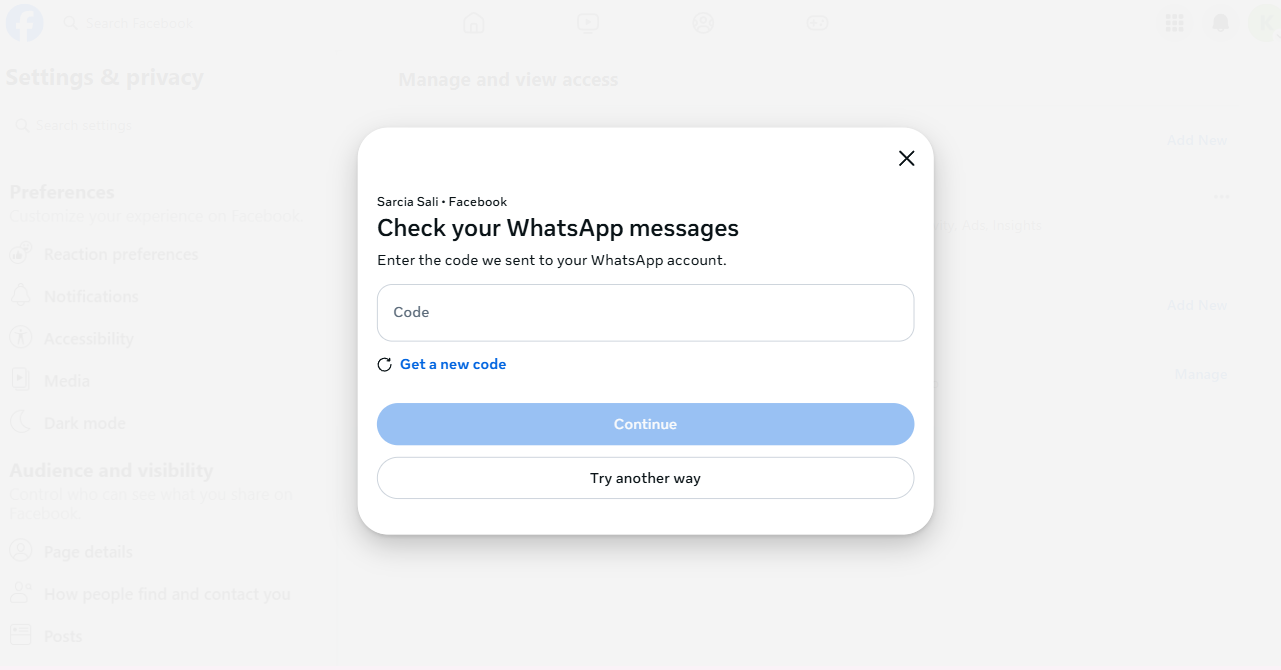
(Notification of Code verification request from Whatsapp)
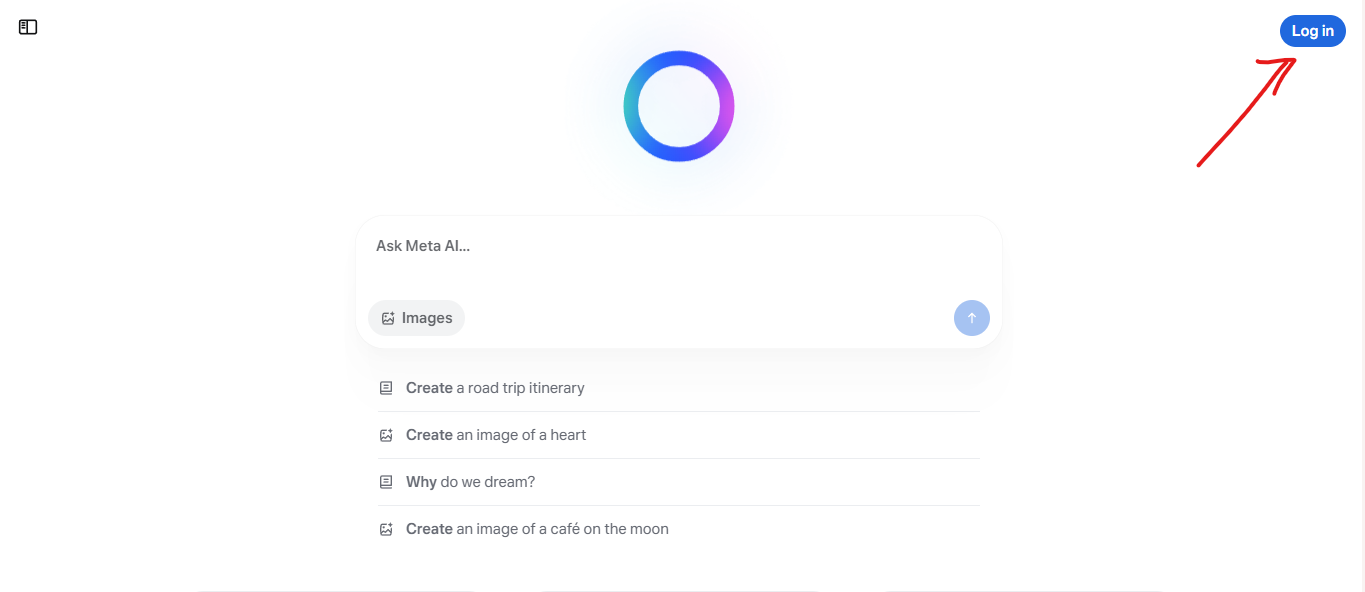
SETP 1: Go to https://meta.ai and login with Facebook
SETP 2: Continue login with Facebook
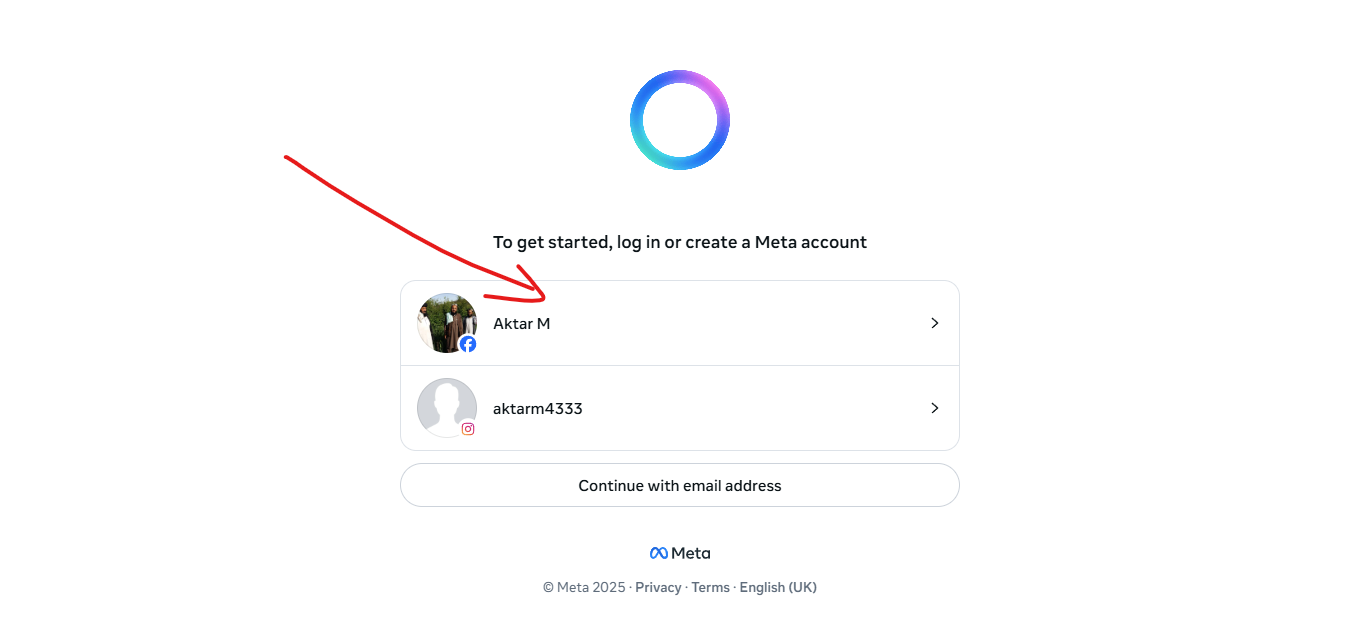
SETP 3: Click Confirm
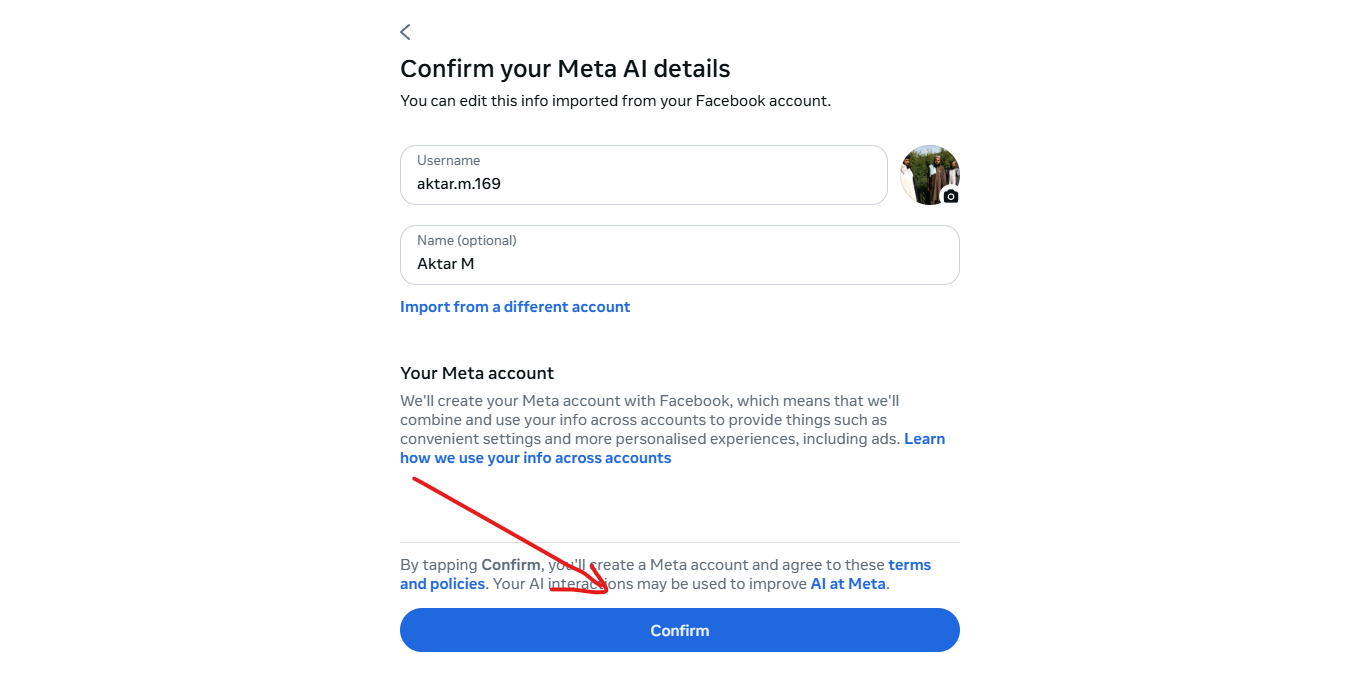
SETP 4: Go back to the page and refresh the steps Facebook will switch to Email verification
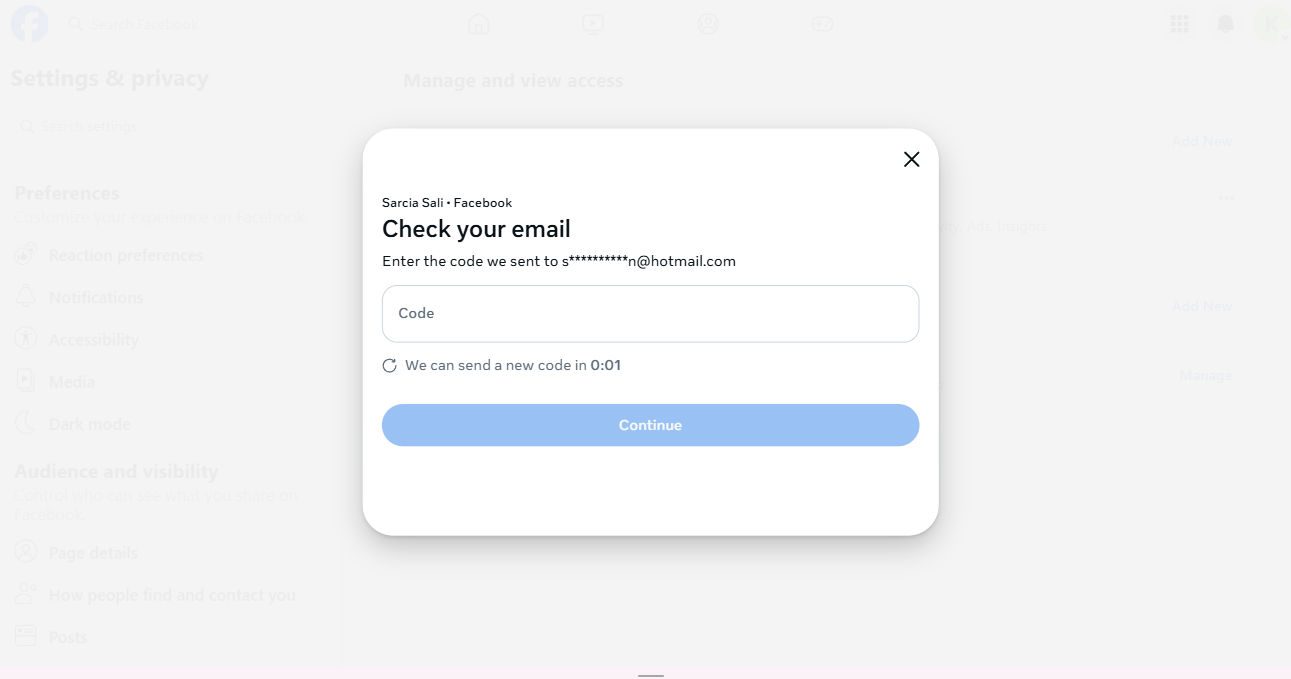
Don't forget to contact Accmoon Team if you encounter any problems.
[ Nếu tính ăn trộm bài viết thì nhớ ghi tên anh vào ]
Recent posts

Guide to Using Facebook Business Manager (BM) Links
363
Facebook Asking for Video Selfie: Causes, How to Handle It & How to Prevent Account Death
1,135
Video showing how to log in to your PayPal account correctly
547
How to log in to Gmail using the Confirm your recovery email option.
536
How to enable 2FA 2-step verification for Instagram account
648
Most viewed
- How to Log In Facebook Account (Updated 2025) 30,157
- How to buy accounts on Accmoon ? Step-by-step instructions 10,173
- Solution to fix disabled account after adding payment 9,928
- How to safely change your Facebook account password 9,656
- Fix account being disabled after adding a card that doesnt hold funds successfully 8,080